Your First MeshCore Node Under $70: Wio Tracker L1 Pro vs T1000-E vs Heltec V4
If you want your first node for the Brazos Valley and you have about $70, the Seeed Wio Tracker L1 Pro plus a better antenna is the pick we steer most newcomers toward. The SenseCAP T1000-E is the easier choice for a family member who will never touch a setting, and the Heltec V4 is the cheapest way in if your first node will sit on a desk or windowsill with USB power. All three show up in the official MeshCore flasher, all three are US 915 MHz hardware, and all three can join Brazos Valley Mesh on the USA/Canada (Recommended) preset. The right one depends on where the node is going to live, not on which spec sheet looks biggest.
The short answer by use case
If you are new and want one node that does everything reasonably well, get the L1 Pro and budget about $13 for a better whip antenna on day one. It has a screen and buttons, it runs for days on a charge, and you can upgrade the antenna—which matters more than almost anything else in a flat, tree-heavy town like Bryan–College Station.
If you are buying for a spouse, a teenager headed to campus, or a ranch hand who needs something that lives in a wallet or truck console, get the T1000-E. It is sealed, tiny, and simple, and it is the cheapest finished device of the three. You give up a screen and any antenna upgrade in exchange.
If your node will stay plugged in at home, in a window, or in an attic, the Heltec V4 is hard to beat on price. It is a bare development board with plenty of transmit power, but it draws a lot of current, so it is a poor fit for a pocket or a solar box unless you plan around that.
What "under $70" actually buys right now
We rechecked direct-store prices on October 6, 2026, before writing this. The Wio Tracker L1 Pro was $52.99 from Seeed Studio, the SenseCAP T1000-E was $39.90 from Seeed Studio, and the Heltec WiFi LoRa 32 V4 was $26.97 from Rokland. A flexible 915 MHz whip such as the Color MESHTAC 2.5 dBi from Rokland was $12.97. Those prices do not include shipping or tax, and they move often, so treat them as a snapshot.
Amazon was higher on all three when our research pass checked it on October 5: about $59.99 for the L1 Pro, $50.99 for the T1000-E, and $29.99 for the V4. That gap is usually the cost of fast shipping and easy returns, which can be worth it for a first purchase. Just know you are paying for it.
That math also opens a nice pairing. One of the most useful things we tell newcomers is that a single node often feels broken, because you have no one to talk to until the local mesh reaches you. A T1000-E for your pocket and a V4 in your window came to about $67 at those prices, which gives you two radios that can prove each other works on the first afternoon.
Seeed Wio Tracker L1 Pro: the all-rounder
 The L1 Pro is the node we would hand a first-timer, and we are not alone in that. NodakMesh's long-term review, published in July 2026, called it exactly that, reported about five days of battery life, and described it surviving a 12-foot drop onto concrete. It is built on the low-power nRF52840 chip, has an OLED screen, GPS, a 2,000 mAh battery, and an external antenna connector. In community threads it comes up again and again as the default first node alongside the T1000-E.
The common complaint is the stock antenna. Amazon's AI-generated review summary says the antenna gets mixed reviews, with several buyers calling it bad. Swapping in a better whip is the most common fix people mention. That is good news, not bad news: you can only make that swap because the L1 Pro has a real antenna connector. Before you order a replacement, check whether your unit needs SMA or RP-SMA, because buying the wrong gender is the classic first-week mistake.
Where it fits in the Brazos Valley: an L1 Pro on a belt or backpack strap works for a campus walk, a Bryan neighborhood loop, or a day in the field, and the screen lets you see messages without pulling out your phone. Paired with a $13 whip it lands right around $66 from Seeed, which is the most capable single node you can buy for our budget.
SenseCAP T1000-E: the one you hand to everybody
 The T1000-E is about the size of a credit card and is sealed against the weather, which is why it shows up so often for family groups, events, and vehicles. In one r/meshtastic thread from late September, a poster said six units at an 18,000-person festival worked "nearly flawlessly." NodakMesh logged 3.9 miles ground to ground with one, and TheSecureDad got about three days of battery life. It runs MeshCore as well as Meshtastic, so it can join our mesh.
The trade-offs are real and worth saying out loud. There is no screen, so you will always read messages on a paired phone. The antenna is internal and cannot be upgraded, which caps how far it can reach from inside a building. It charges with a proprietary magnetic cable, so losing that cable is a bigger deal than losing a USB-C cord. Amazon's AI summary also mentions some buyers reporting units that died or stopped charging after a couple of months, and there is a Reddit guide on reviving bricked units. Most units are fine, but we would keep the charging cable somewhere obvious and buy from a seller with a clear return policy.
Where it fits in the Brazos Valley: the T1000-E is the device for the person in your household who will not fiddle with it. Clip it in a bag for a football weekend, toss it in a truck for ranch work, or hand one to a student heading to an apartment near campus. It works best when there is a well-placed repeater or a window node nearby doing the heavy lifting.
Heltec WiFi LoRa 32 V4: the cheapest way in
 The Heltec V4 is the most-discussed board in both the Meshtastic and MeshCore communities right now, and at $26.97 it is easy to see why. It has an ESP32-S3 with an SX1262 radio pushing about 27 to 28 dBm, built-in battery and solar connectors, and the same pinout as the older V3. A Rokland reviewer summed it up as "what the V3 wanted to be."
Its weakness is power. HarukiToreda's published bench measurements show the V4 drawing about 111 mA with the screen on and about 36 mA with Bluetooth and the screen off, which is a lot for something you want to carry for days. Community reports also mention broken USB-C ports, random reboots, and shutdowns on battery, and it ships as a bare board, so a case and battery are on you. None of that matters much when it lives on a USB charger in a window, which is exactly where we like it.
Where it fits in the Brazos Valley: put a V4 in your highest window facing the direction you most want to reach, plug it into a phone charger, and let it be the home base your pocket node talks to. It is also a cheap way to learn flashing and configuration before you spend more on a node you will mount outside.
The $13 upgrade that matters more than the node
 On every one of these devices that can take one, a better antenna is the single most useful upgrade, and it is far cheaper than moving to a fancier node. The muzi WORKS 17 cm 915 MHz whip had a 4.6-star average and more than a thousand purchases in the past month on Amazon when our research pass checked it, and one reviewer said it "about doubles the range of the factory antennae." If you would rather order from Rokland, the MESHTAC 2.5 dBi soft flexible whip is a comparable SMA male swap at $12.97 on Oct 9; choose the 915 MHz option. Your results depend on height and what is in the way, but in a town full of live oaks and two-story apartments, a good antenna held up high usually beats extra transmit power at desk level. The T1000-E is the exception, since its antenna is built in.
Setting any of them up for Brazos Valley Mesh
Whichever node you choose, the steps to join us are the same. Flash MeshCore Companion firmware from flasher.meshcore.io in Chrome or Edge using a USB data cable, pair the MeshCore app, and choose the USA/Canada (Recommended) radio preset. Use that preset and verify it is selected—commonly around 910.525 MHz / SF7 / BW 62.5 / CR5—rather than guessing channel settings by hand. A brand-new node on the wrong firmware or the wrong preset will show an empty map even in a busy neighborhood, so check that setting before you decide your radio is broken. Our post "Your First MeshCore Weekend in Bryan–College Station" walks through the whole first weekend, and "Match the USA/Canada Preset" covers why the preset matters.
Where to buy — and how BVM nodes map to this comparison
Buying any of these nodes from Seeed, Rokland, Amazon, or any other reputable seller is completely fine, and we would rather you get on the mesh than wait. If you want a radio that is already built for Bryan–College Station, the Brazos Valley Mesh shop is the path we use ourselves: MeshCore-ready companions, made to order here, with free continental US shipping.
Buying through us also helps the project directly, because all proceeds cycle back into improving the local mesh.
If you prefer Amazon for shipping or returns, the same products are linked inline above and collected again under Gear links at the end of this post.
Pocket Mesh Node — everyday companion
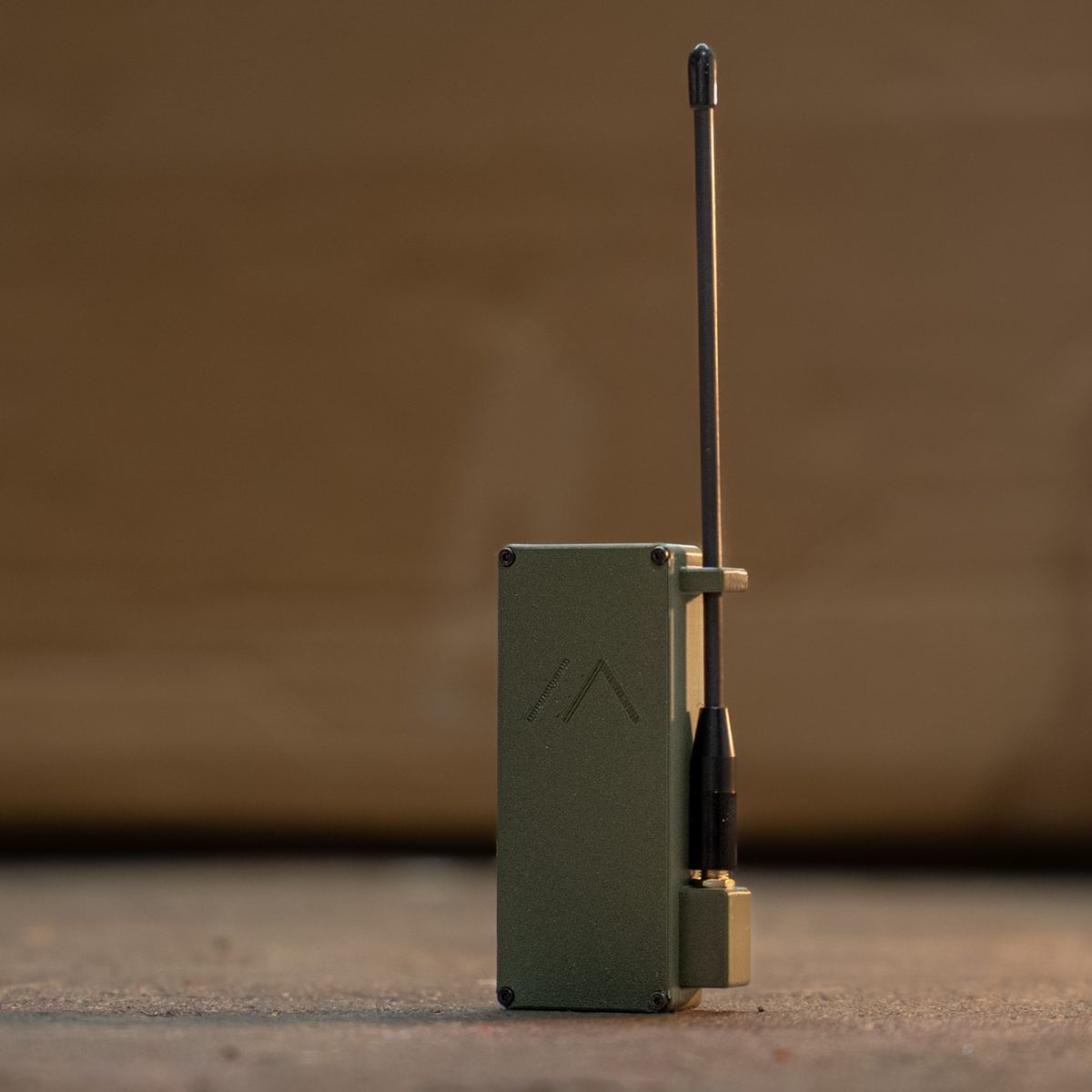
The Pocket Mesh Node is the closest BVM-built answer to the L1 Pro / T1000-E question in this article. It is the companion most people on our mesh actually carry: a RAK19003 board in a PETG case, a 2000 mAh battery (about 8–12 days in our experience), a USB-C cable, and an external 915 MHz antenna in the box.
Compared with the three DIY/store options above, it sits in a useful middle ground. Like the L1 Pro, you get an upgradeable external antenna and multi-day battery life without babysitting USB power. Like the T1000-E, it is meant to live in a pocket or pouch and talk to your phone over Bluetooth. You give up the L1 Pro's screen and the T1000-E's sealed credit-card shape, and at $78 it sits a little above the strict "under $70" DIY budget — but you are buying a finished local radio instead of assembling and flashing from scratch. If what you want is "hand me a working MeshCore companion for Brazos Valley," this is the one.
Prefer to build your own? The RAKwireless WisBlock Mini starter kit (RAK19003 + RAK4631) uses the same RAK19003 base board and was $31.97 at Rokland on Oct 9, 2026; you handle the case, battery, and MeshCore flashing yourself.
Pocket Node Duo Bundle — prove the mesh on day one
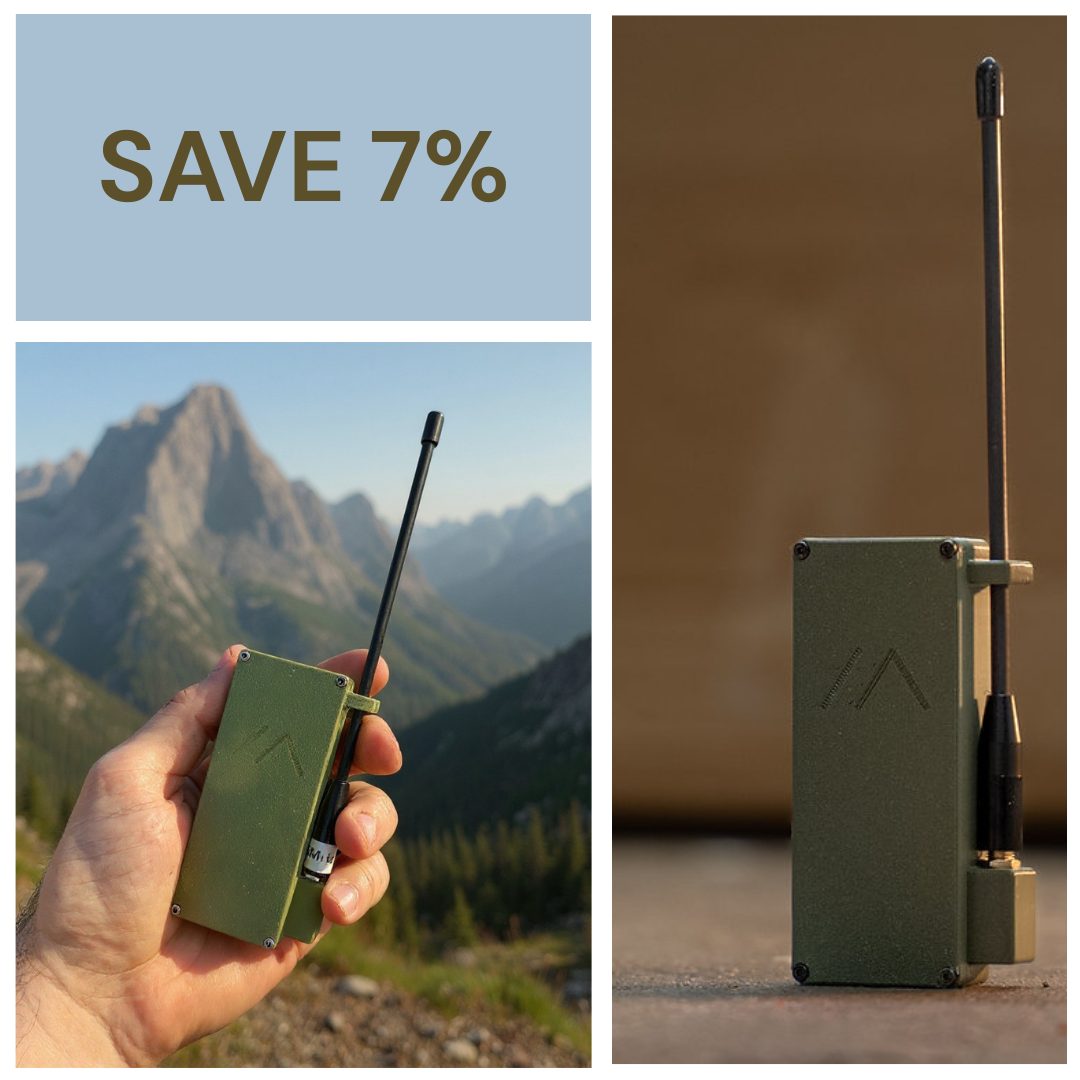
The Pocket Node Duo Bundle is two Pocket Mesh Nodes sold together. That maps directly to the advice earlier in this post: a mesh of one can feel broken until someone else is nearby, while two companions can message each other immediately and both can use any repeater already in range.
If your goal is a family, farm crew, or roommate pair who need to hear each other this weekend — not a parts experiment — the Duo is how we would skip the "I bought one board and the map is empty" trap. You still flash MeshCore and set USA/Canada (Recommended) like any other MeshCore node; you just start with two working radios instead of one.
Browse the full shop anytime at brazosvalleymesh.com/shop.
FAQ
What is the best first MeshCore node under $70?
For most newcomers it is the Seeed Wio Tracker L1 Pro, which was $52.99 direct from Seeed on October 6, 2026, plus a roughly $13 antenna upgrade. It balances battery life, a usable screen, durability, and an upgradeable antenna better than the other two options.
Is the T1000-E or the L1 Pro better for a beginner?
The L1 Pro is better if the beginner wants to see messages on the device and get more range from an antenna upgrade. The T1000-E is better if the person wants something tiny and sealed that they never have to adjust, and they are fine reading messages on their phone.
Can I use a Heltec V4 as a portable node?
You can, but it is not where it shines. Bench measurements put it around 111 mA with the screen on, so it drains a battery much faster than the nRF52-based L1 Pro or T1000-E. It works best plugged into USB power in a window or attic.
Do all three work with Brazos Valley Mesh?
Yes. All three are listed in the official MeshCore flasher. Flash Companion firmware, pair the MeshCore app, and set the USA/Canada (Recommended) preset to hear other Bryan–College Station nodes.
Should I buy one node or two?
Two if you can. A single node can sit in silence until the local mesh reaches your street, while two nodes let you prove both work on day one. A T1000-E for your pocket and a Heltec V4 for your window came to about $67 at direct prices when we checked.
The bottom line
If you only buy one node this month, make it an L1 Pro with a better whip. If you are equipping someone who wants zero fuss, give them a T1000-E. If your node is going to live on a charger in a window, a Heltec V4 does the job for under $30. Whichever you pick, flash MeshCore, set USA/Canada (Recommended), get the antenna as high as you can, and come say hello on the Brazos Valley mesh.