MeshCore 1.18 Update: Should You Upgrade Your Node Yet?
Should you install the MeshCore 1.18 update? Yes, if your board is on the bug-fix list or you want the new companion command line. Otherwise there's no rush. Try it on a companion you can reach first, and update rooftop repeaters last.
That's the short version for MeshCore users around Bryan–College Station and anyone who flashed a new node this month. Brazos Valley Mesh runs MeshCore on the USA/Canada (Recommended) preset, so this release matters to our mesh. This post sticks to MeshCore's own v1.18.0 release notes, posted Oct 15, 2026. We checked them on Oct 18, 2026. Where we add advice the notes don't give, we say so.
Quick answer
Your board is on the bug-fix list: update. The fixes are listed below and include the Meshnology W12, the T1000-E, the Heltec T1, the Xiao C3, and the RAK3401.
You want to type commands into your companion: update the companion and the MeshCore app. The new companion command line needs both.
You run a rooftop or hard-to-reach repeater: there's no need to rush. Update a node you can reach first, and leave the high ones for last. That's our caution, not something the release notes say.
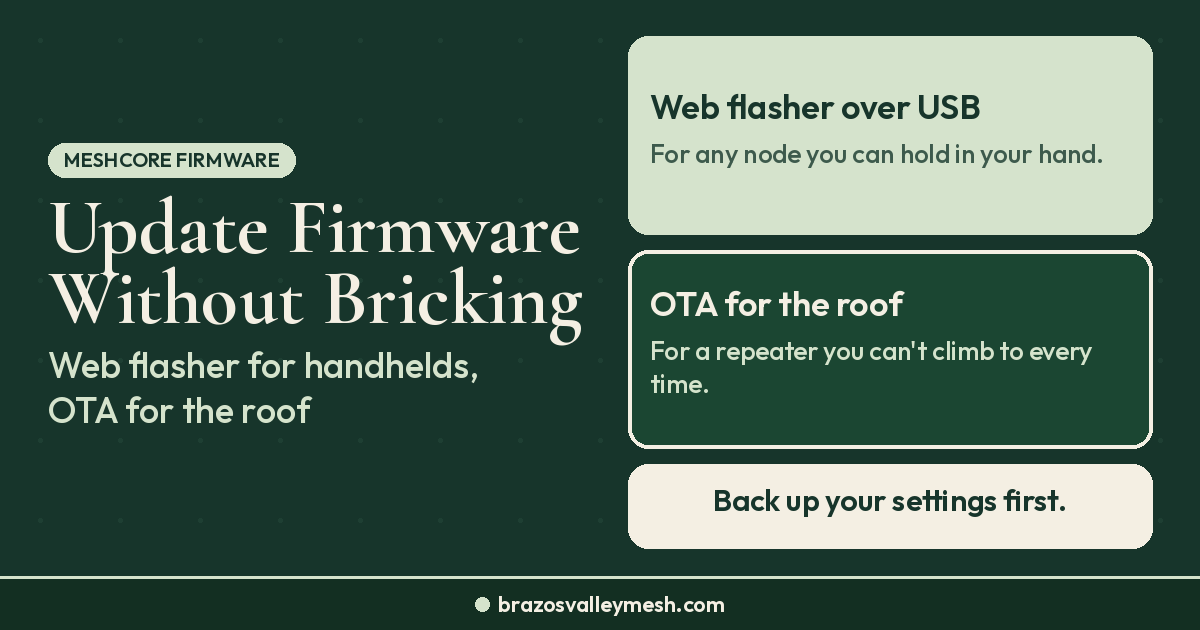
You're brand new and everything works: it's fine either way. If you're flashing a node for the first time, the MeshCore web flasher serves the current release.
Companion CLI: a command line for your own node
Repeaters have had a text command line for a long time. Version 1.18.0 gives companions one too. Before this release, adding a custom companion command meant getting a new companion protocol command ID, and the phone apps had to be updated to support it. Now new commands can be added to the firmware without an app update.
To use it, you need companion firmware 1.18.0 and MeshCore App v1.50.0 or newer. That app version has been out since Sep 25, 2026, on both the Google Play and Apple App Store listings, and its own changelog says the local command line requires companion firmware v1.18.0+. In the app, open the settings screen and look for Command Line.
The release also adds a few commands worth knowing: reboot, power-off, and shutdown commands; a time zone offset setting (`get/set tz.offset`); and WiFi commands such as `wifi.enabled` and `wifi.status`.
Remote CLI: leave it off
Version 1.18.0 also adds remote management between companions. Each contact now has a Remote CLI permission. If you turn it on, that contact can send commands to your companion over the mesh. On the other side, a new Command Line button under Extra Tools on a contact's details screen lets you send commands to their companion, but you only get a reply if they've given you that permission.
MeshCore's own words: "This is a very sensitive permission to grant, as it allows for managing radio settings, updating node names and also rebooting the device via the mesh."
If you're new, leave Remote CLI off for every contact. That's our advice, not MeshCore's. A wrong radio setting sent over the mesh could knock your node off the preset, and then nobody can reach it over the mesh to fix it. If you ever turn it on, do it for one person you know and trust, and turn it back off when you're done.
BLE and WiFi in one companion firmware
MeshCore companions have always come as separate Bluetooth, USB, and WiFi builds, which keeps the firmware small enough for tiny boards. The catch was that changing how you connect meant reflashing. Version 1.17.0 added a firmware that accepts more than one connection type, but only for the Elecrow ThinkNode M7. With 1.18.0, the release notes expand that to these boards:
- Heltec v3
- Heltec v4
- Heltec v4 r8
- Heltec Wireless Paper
- RAK3112
- Xiao S3
- Xiao S3 WIO
On those boards, you can connect over Bluetooth and enter your WiFi details in the app, and the node joins WiFi when it reboots. App v1.50.0 adds a WiFi Settings section for this. Other companion apps can use the new `set wifi.ssid` and `set wifi.pwd` commands.
The USB caveat: these BLE+WiFi builds don't include a USB connection for now, because USB is used for serial logging. MeshCore says it will look at that in a future update. Some boards also don't have enough memory for Bluetooth and WiFi together, so they still need a separate build for each connection type.
If you bought the Heltec V4 from our first MeshCore node under $70 guide, it's on the list. The Heltec V4 at Rokland was $26.97 and in stock when we checked on Oct 18.
Other changes worth knowing
- Telemetry push. Sensor nodes now support telemetry push with subscribe and unsubscribe, and companions support receiving it.
- Hidden repeaters. A repeater with adverts turned off is no longer discoverable. If you turned adverts off on a repeater but still expect people to find it, 1.18.0 changes that.
- Repeater loop detection. Minimal loop detection is now the default on repeaters.
- Companion extras. A new Node Discover screen and faster channel sync.
- T-Beam-1W fan control. The T-Beam-1W gets thermal fan control. Our 1-watt node guide covers that board.
- ThinkNode M7. Its BLE build now has WiFi support.
- T114 companion screen. It now shows a charging indicator.
New boards in 1.18.0
The release notes add support for the ThinkNode M8, the ThinkNode M4, the WIO Tracker L1 1W, Muzi Base boards (Duo, Uno, and SuperIO), and the Waveshare ESP32-S3 LR1121. If you own one of these, 1.18.0 may be the first MeshCore release that supports it, which is a good reason to update.
Who should update now
Update if you own one of the boards these fixes cover:
- Meshnology W12: a TX power fix.
- SenseCAP T1000-E: a sensor power pin mapping fix.
- RAK3401: the power amplifier now works when no GPS is attached. The RAK3401 is the core in RAK's WisMesh High Power Booster kit.
- Heltec T1: a clock fix.
- Xiao C3: a fix for the BLE companion.
- Others named in the notes: WIO E5 fixes, Heltec CT62 fixes, and the Hibernate menu removed from the WIO Tracker L1.
The release also includes several bounds-checking fixes, keeps the system time across reboots, and turns off the low-voltage boot lockout on most nRF52 boards. Those aren't reasons to rush, but they're reasons not to stay on an old build forever.
Rooftop and tower repeaters: update them last. A bad flash on the bench costs you five minutes. On a roof, it costs you a ladder trip, and everyone who relies on that repeater loses coverage until you're done. Our rooftop repeater write-up explains why those high nodes matter so much. Flash a companion or a spare first, use it for a few days, then move up.
Will 1.18 nodes talk to 1.17 nodes? The release notes don't say either way, so we aren't going to guess. If that matters for your setup, update one node first and see how it does alongside the rest.
How to update
Firmware for 1.18.0 is on the MeshCore web flasher. Pick your board and role (companion, repeater, or room server), and update the MeshCore app to v1.50.0 or newer if you want the command line and WiFi settings. After any flash, check that the radio is still on the USA/Canada preset, then send a test on Public, the same way our first MeshCore message guide walks through.
Want the full walkthrough for flashing over USB or updating a repeater over the air? Our MeshCore firmware update guide covers both. Not sure which role a board should run before you flash it? Our repeater vs companion vs room server guide explains each one. Updating a repeater? It won't show up over Bluetooth, so our guide to managing a MeshCore repeater covers setting one up over USB and managing it over LoRa from a companion.
Where Brazos Valley Mesh fits
We run MeshCore on the USA/Canada (Recommended) preset around Bryan–College Station, and nothing in the 1.18.0 notes touches radio presets. If you came here from our Meshtastic 2.8 update post, keep in mind that MeshCore and Meshtastic are separate projects, and their nodes don't talk to each other on the air. Our MeshCore vs Meshtastic comparison covers why we chose MeshCore.
FAQ
Should I install the MeshCore 1.18 update?
Update if your board is on the bug-fix list or you want the companion command line. Otherwise there's no rush. Try it on a companion you can reach before you update a rooftop repeater.
What is the MeshCore Companion CLI?
It's a text command line for your own companion node, new in firmware 1.18.0. In MeshCore App v1.50.0 or newer, it's the Command Line option in the settings screen.
Should I turn on the Remote CLI permission?
Not if you're new. MeshCore calls it "a very sensitive permission to grant," because a contact with it can change your radio settings, rename your node, and reboot it over the mesh.
Which boards get BLE and WiFi in one firmware?
The release notes list the Heltec v3, Heltec v4, Heltec v4 r8, Heltec Wireless Paper, RAK3112, Xiao S3, and Xiao S3 WIO. Those builds don't include a USB connection for now.
Why did my repeater disappear from discovery?
In 1.18.0, a repeater with adverts turned off is no longer discoverable. Turn adverts back on if you want people to find it.
Do 1.18 and 1.17 nodes work together?
The v1.18.0 release notes don't say either way. Update one node first and check it alongside the rest before you update everything.
Getting on the Brazos Valley mesh
If you'd rather skip flashing, our Pocket Mesh Node is a RAK19003 companion with an external 915 MHz antenna, flashed with MeshCore or Meshtastic, your choice. If you're joining us around Bryan–College Station, we recommend MeshCore. Buying gear anywhere is fine. Buying from the Brazos Valley Mesh shop funds the local mesh, since proceeds go into repeaters and rooftop work around the valley.