Meshtastic Router vs Client: Which Role Should Your Node Use?
Meshtastic router vs client: which role should your node use? For almost everyone, CLIENT. Meshtastic's own guidance says CLIENT covers the overwhelming majority of nodes, CLIENT_MUTE suits your extra radios, and CLIENT_BASE fits a home attic or roof node. ROUTER is only for rare, truly strategic sites, and putting it in the wrong place hurts the whole mesh.
That surprises a lot of new owners. "Client" sounds passive, and "router" sounds like the setting that makes your node help more. On Meshtastic it works almost the other way around. This post walks through what each common role actually does, why an unneeded ROUTER makes a mesh worse, and how to choose. We checked it against the Meshtastic device configuration docs and two official Meshtastic blog posts, Choosing the Right Device Role and Demystifying ROUTER_LATE, on Oct 21, 2026.
Quick answer
- One radio you carry or keep on a desk: CLIENT. It's the default, and it already relays other people's messages.
- More than one radio of your own: one CLIENT (or CLIENT_BASE), the rest CLIENT_MUTE. That keeps your household from flooding the air.
- A better-placed node in your attic or on your roof: CLIENT_BASE. Favorite your other nodes on it.
- ROUTER: only on a site with a commanding view of a wide area, the kind of place Meshtastic compares to a tower on a mountain peak, not a tall building.
- Never use ROUTER, REPEATER, or ROUTER_LATE just to boost your own house.
Yes, CLIENT nodes relay messages
This is the misunderstanding Meshtastic calls out directly. A CLIENT node does rebroadcast packets. The docs describe it as a node that "rebroadcasts packets when no other node has done so." In other words, it listens for a moment, and if nobody nearby has already repeated the packet, it repeats it.
That "wait and see" behavior is what keeps a shared 915 MHz LoRa channel usable. Every Meshtastic node in an area shares one frequency, and Meshtastic doesn't use complex routing tables. It relies on roles, short random delays, and signal strength to pick who repeats a packet. Most nodes politely step aside when they hear someone else repeat it first.
So picking ROUTER "to help the mesh" usually isn't helping. Your CLIENT node is already part of the relay chain.
What the common Meshtastic roles do
These are the roles most people will ever need, in plain English:
- CLIENT: the default. Phone-connected or standalone messaging, and it rebroadcasts when no one else has.
- CLIENT_MUTE: sends and receives its own messages but doesn't forward anyone else's. Meshtastic recommends it for your extra devices and for busy areas where more relays would cause congestion.
- CLIENT_BASE: acts like CLIENT, but always rebroadcasts packets to or from the nodes you've marked as favorites, and does it first. It's designed as a personal base station in the attic or on the roof, carrying your weaker indoor or pocket nodes.
- ROUTER: infrastructure. It always rebroadcasts once, and it jumps ahead of other nodes to do it.
- ROUTER_LATE: infrastructure for a cluster of nodes that can't see the main mesh, such as a neighborhood behind a hill. It always rebroadcasts, but if another node repeats a packet first, it waits for the last time slot instead of canceling.
- TRACKER and SENSOR: prioritize sending GPS position or telemetry. They still relay while awake.
Two notes from the docs. ROUTER_CLIENT was deprecated back in firmware 2.3.15, so ignore old guides that recommend it. The REPEATER role is marked deprecated as of firmware 2.7.11. There are a few niche roles too (CLIENT_HIDDEN, LOST_AND_FOUND, TAK, TAK_TRACKER). If you don't know you need one, you don't.
Why the wrong ROUTER hurts the whole mesh
A ROUTER node rebroadcasts in the earliest time slot. Nearby CLIENT nodes that hear it repeat a packet cancel their own rebroadcast. Meshtastic puts it this way: making a node a ROUTER is "an implicit choice for the entire mesh to prefer that node" for its neighbors. If that node sits in a poor spot, everyone around it pays for it.
The official role guide lists three problems:
- More packet collisions. ROUTERs always rebroadcast. Put several within earshot of each other and they transmit at the same moment, which raises noise and causes random delivery failures.
- Less range. Every rebroadcast uses one hop. A badly placed ROUTER grabs a hop before the packet reaches a better-placed node, so the message runs out of hops sooner. Meshtastic's example is a valley full of routers that use up all the hops before a packet ever reaches the node on the peak.
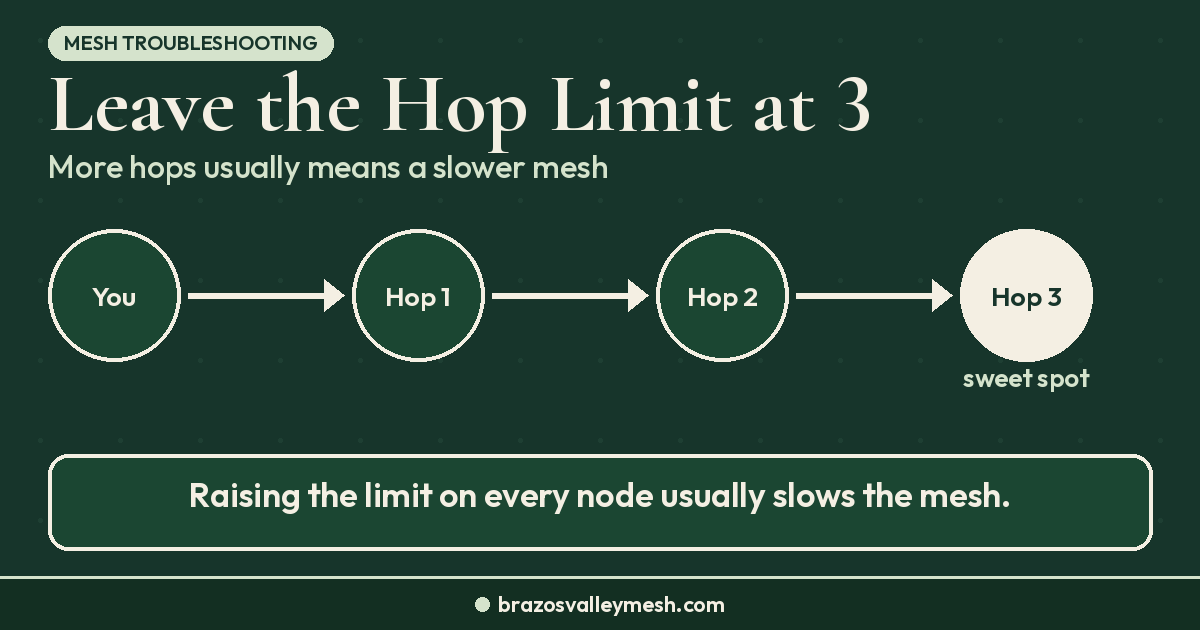
- One-way links. One group can reach another, but replies die on the way back. People often respond by raising the hop limit, which adds even more airtime and congestion. The default hop limit is 3, and it's there for a reason. Our Meshtastic hop limit guide explains why.
There's a practical catch for your own setup, too. On ESP32 boards, ROUTER turns on power saving automatically, and it can't be turned off. In the docs' role table, Bluetooth, Wi-Fi, and serial are off by default for ROUTER, so getting back into one over Bluetooth takes extra steps. The docs suggest using an admin channel to switch the role temporarily.
The 2.8 firmware adds something new here, too. Meshtastic's 2.8.1 alpha release notes list a Traffic Management Module for packet forwarding, with "dedup, rate limiting, role-aware policing." The notes don't explain how it treats each role, and 2.8.1 is still an alpha, so none of the advice in this post depends on it.
What about my roof node?
This is the most common case around a town, and the answer from Meshtastic is clear: use CLIENT_BASE, or plain CLIENT, on a rooftop. The ROUTER_LATE post says ROUTER and REPEATER are "unsuitable for rooftop use" and that ROUTER_LATE isn't meant to extend the range of devices inside your house, either.
How to set up CLIENT_BASE:
- Set the attic or roof node's role to CLIENT_BASE.
- On that node, mark your own pocket, desk, and car nodes as favorites.
- Set your extra personal nodes to CLIENT_MUTE (or leave one as CLIENT).
Now your roof node gives your own traffic priority, while it handles everyone else's packets like a normal, polite CLIENT. If height is the real problem, our guides on antennas and rooftops and what a rooftop repeater changes cover placement first.
One more official tip: if a node can hear the mesh but nobody hears it back, Meshtastic says to put a CLIENT node nearby, not a ROUTER_LATE. The CLIENT will repeat only what didn't already make it out another way. The ROUTER_LATE post notes this is common with radios that have a compromised internal antenna, and it names the T1000-E.
When ROUTER or ROUTER_LATE is the right call
Infrastructure roles do have a place. Before you pick one, Meshtastic suggests collecting real-world data from the mesh and checking line of sight with viewshed tools.
- ROUTER fits a stationary node with a genuinely excellent coverage footprint, where it really should be the preferred path for everything in range. Coordinate with the people who already run the local mesh before you claim that spot.
- ROUTER_LATE fits a site that is critical for one cluster but not well placed for the wider mesh. Meshtastic gives these limits for people running ROUTER_LATE on a roof despite its advice against it, and they're a sensible ceiling for any ROUTER_LATE node: stop using the role if channel utilization (ChUtil) goes above 25% or your node's own airtime (AirUtilTX) goes above about 7–8%.
And don't leave an infrastructure role on a vehicle. The docs allow a temporary ROUTER_LATE in a truck for a hiking group that can't see the mesh, but they ask you to switch it back afterward.
How we think about roles around Bryan–College Station
Our local mesh runs MeshCore, where the same lesson is built into the firmware. Companion radios don't repeat traffic on the USA/Canada preset; only dedicated repeaters do. Our MeshCore repeater vs companion vs room server guide explains that split. On Meshtastic, every node can relay, which is exactly why role choice matters more. Our MeshCore vs Meshtastic comparison covers why we chose MeshCore for a town-scale mesh.
If you run Meshtastic here, our advice matches the official guidance: leave your radio on CLIENT, mute your extras, and use CLIENT_BASE for an attic node. Treat ROUTER as a conversation with the people already running the local mesh, not a setting you flip on day one. If you're still setting up a new radio, our Meshtastic setup mistakes guide covers region, antenna, and preset before first power-on. If your node list is empty, see why you can still send when no nodes show up.
Gear that fits each role
Any of these can be set to any role. What matters is where you put it.
- Carry-around CLIENT: the Seeed Wio Tracker L1 Pro (Amazon) (Seeed Studio). Our first MeshCore node under $70 comparison covers it and the other first-node options.
- Desk or attic CLIENT_BASE: an affordable board like the Heltec WiFi LoRa 32 V4 (Rokland), paired with a better antenna such as the Rokland MESHTAC gooseneck or the Muzi Works 17 cm whip (Amazon). Check SMA vs RP-SMA first with our connector guide.
- Outdoor mast: the ALFA AOA-915-5ACM omni (Rokland) is what we point people to in our 915 MHz antenna upgrade guide. A great antenna on a roof still means CLIENT_BASE, not ROUTER.
Prices and stock change, so check the listing before you buy.
Want a radio that's ready out of the box? Our Pocket Mesh Node is flashed with MeshCore or Meshtastic, your choice. If you're joining us around Bryan–College Station, we recommend MeshCore. Buying from the Brazos Valley Mesh shop helps fund the local mesh. Have a site with real height that could serve the whole area? Tell us on the hosting page.
FAQ
Meshtastic router vs client: which role should I use?
Use CLIENT for nearly every node. It's the default, and it already relays messages when no one nearby has. Use ROUTER only on a fixed node with a genuinely commanding view of a wide area, after looking at real data from your local mesh.
Do Meshtastic CLIENT nodes relay other people's messages?
Yes. A CLIENT rebroadcasts a packet if it doesn't hear another node repeat it first. CLIENT_MUTE is the role that doesn't forward other nodes' packets.
Should I set my rooftop Meshtastic node to ROUTER?
No. Meshtastic calls ROUTER and REPEATER unsuitable for rooftop use. Use CLIENT_BASE and favorite your own nodes on it, or just leave it on CLIENT.
What is CLIENT_MUTE for?
Your extra radios. If you own several nodes, Meshtastic recommends one CLIENT or CLIENT_BASE and the rest on CLIENT_MUTE, so your household doesn't use more airtime than it needs to.
What's the difference between ROUTER and ROUTER_LATE?
ROUTER always rebroadcasts and goes first, so nearby nodes cancel their own repeats. ROUTER_LATE also always rebroadcasts, but if another node repeats a packet first, it waits until the other nodes have had their turn. It's meant for clusters that can't see the main mesh, not for home roofs.
Is the ROUTER_CLIENT role still available?
No. ROUTER_CLIENT was deprecated in firmware 2.3.15. The REPEATER role is also marked deprecated as of 2.7.11.